
Word Association Tiles Walkthrough – All Levels
Read the category. Find the connection.
Independent fan-made guides. Not affiliated with the game developer.
Browse levels
Recently updated
Inside Word Association Tiles
About the game
Word Association Tiles is a word and picture sorting game by Echidna Games for Android, iPhone and iPad. Match the tiles to the category cards and clear complete groups.
Check both the category name and its word or image badge. Compare the labels and tile pile with the video before following a numbered solution.
Browse 65 level walkthroughs below. Choose a matching board and watch one selection at a time.
- Publisher
- Echidna Games
- Platform
- Android, iPhone, iPad
- Guide coverage
- 65 levels
- Last updated
- Game store
- App Store

Word Association Tiles asks you to sort words and pictures into meaningful categories. Read the category labels, identify the matching tiles, and work through each complete group until the board is clear. Choose your level above for a video walkthrough, or use the guides below to understand why a particular connection works.
A word puzzle built around connections
Word Association Tiles is a puzzle game by Echidna Games for Android, iPhone and iPad. Its central challenge is recognizing relationships between tiles rather than spelling a word from loose letters. A picture can represent an object, and a printed word can point to an animal, a type of food or another category. You need to connect that meaning to the labels on your current board.
The mobile stores describe a large collection of puzzles, but a store description does not tell you which board is currently available on your device. Your installed version, chosen game language and visible level are the useful starting points when choosing help. This directory counts the walkthroughs available here; it does not claim to measure every level inside the app.
Read the category before choosing a tile
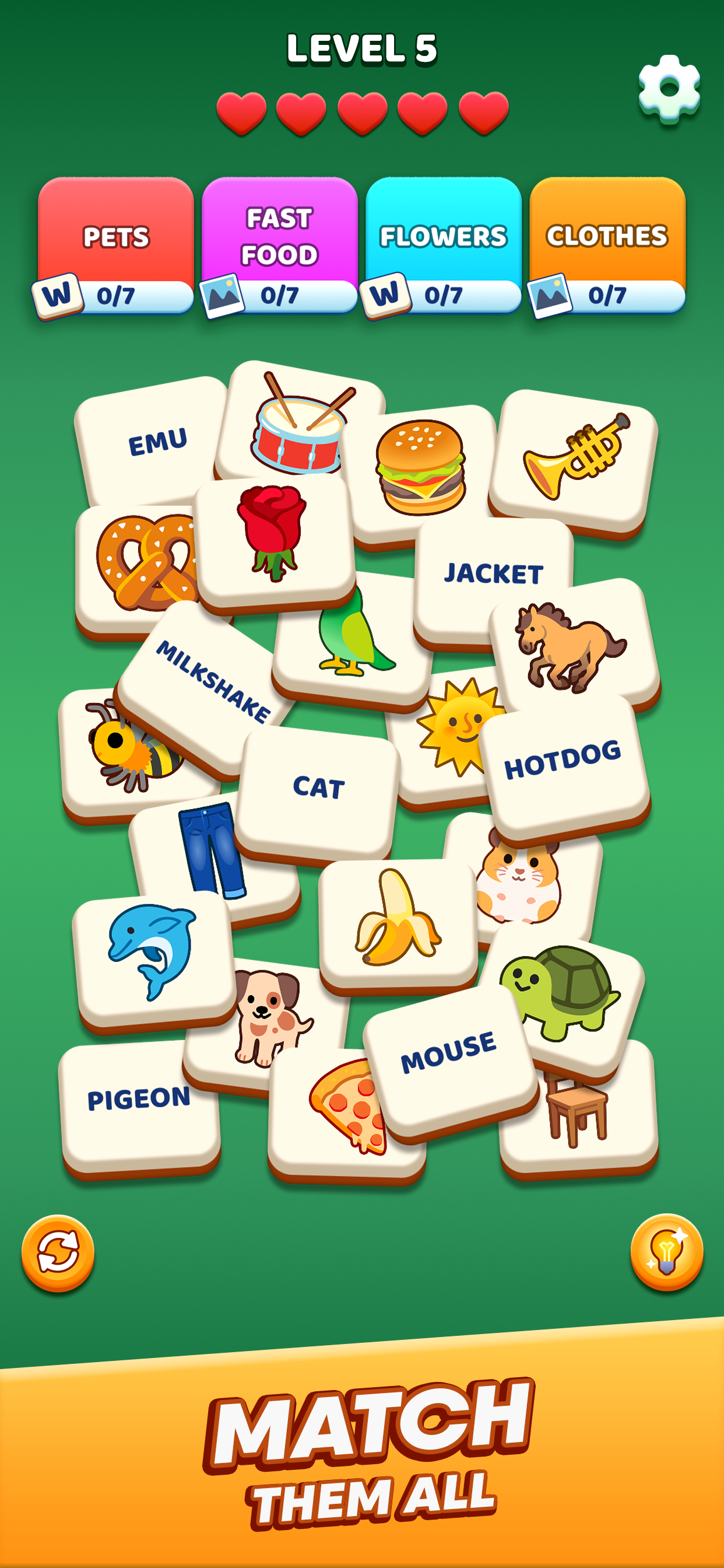
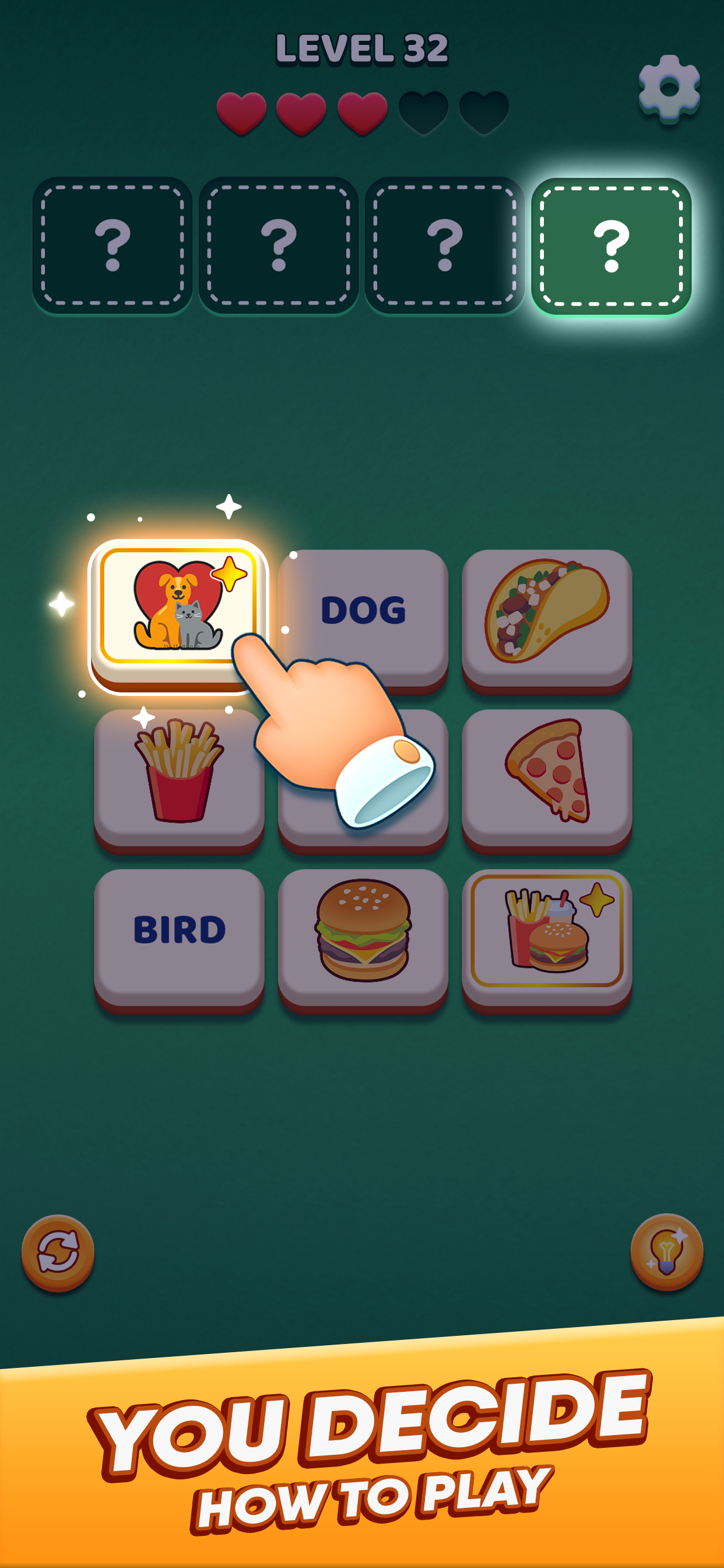
Look at the labels across the top before moving a tile. The store screenshots show categories such as pets, flowers, fast food and clothes, with progress counters beneath them. Those labels make a stronger starting point than a loose association between two nearby objects. A jacket belongs with clothing because of what it is, not because its drawing happens to share a color with another tile.
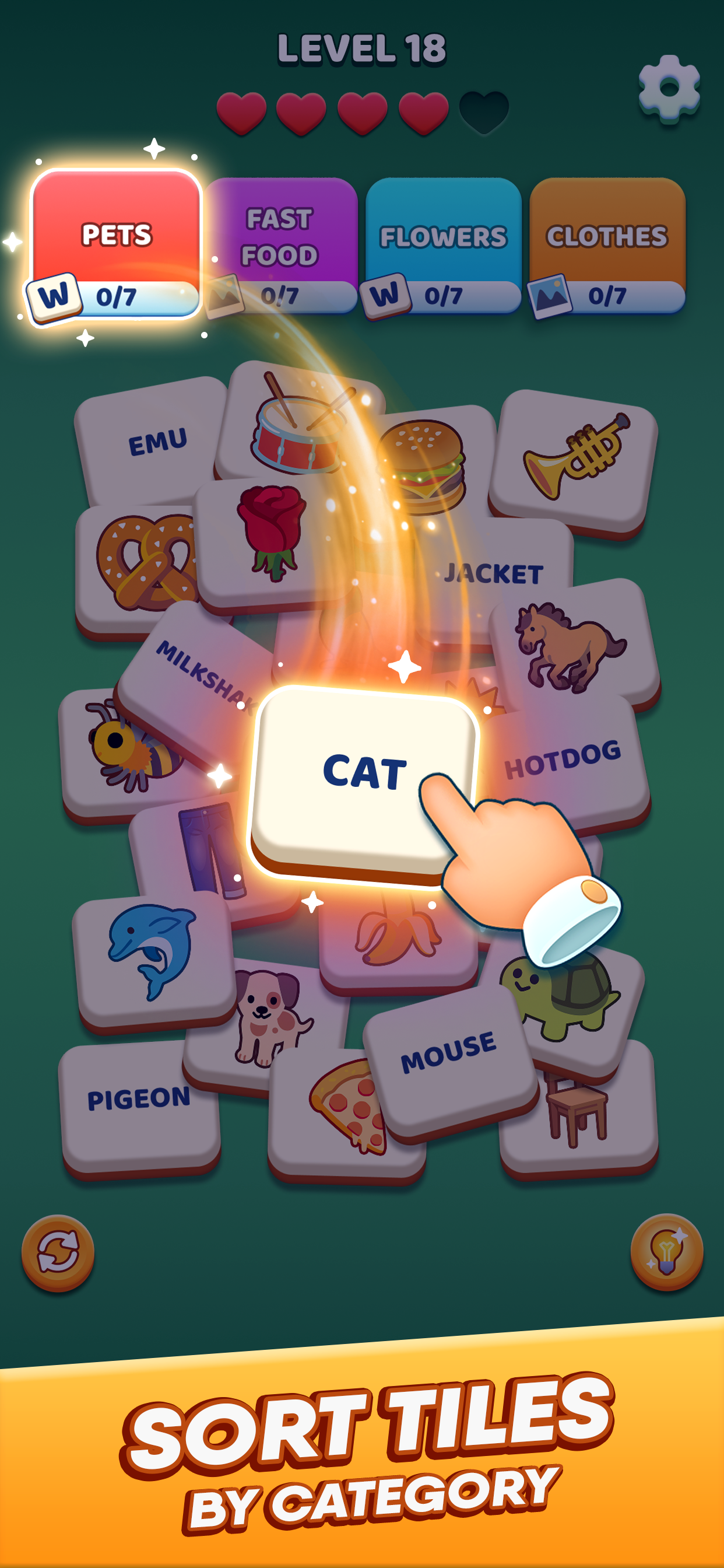
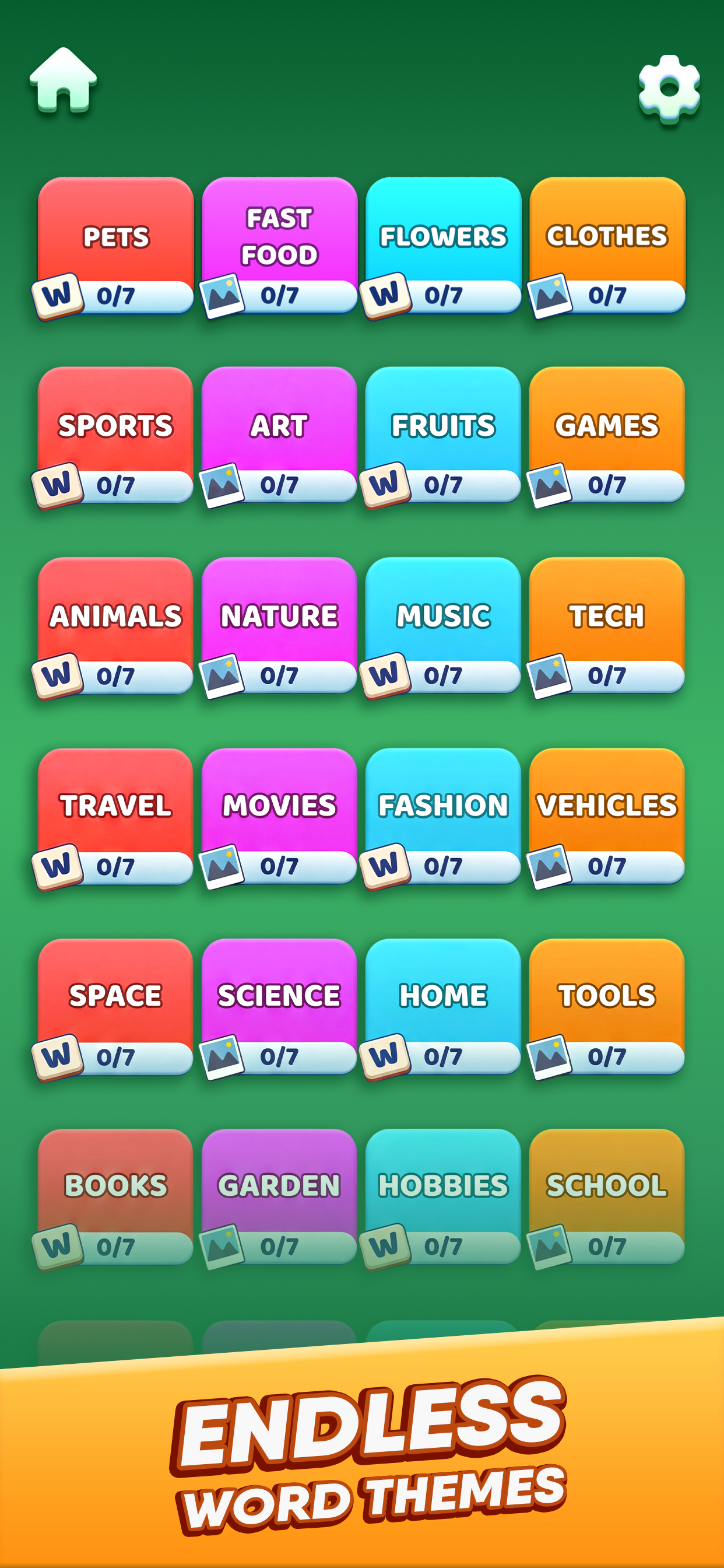
Some category cards display a word symbol while others display a picture symbol. Pay attention to both the meaning and the representation required by the card. The screenshot example with CAT points toward a pets category marked for words. Read your own card before assuming that a picture and a written label are interchangeable.
Use the videos as a visual answer key
Open the numbered walkthrough and compare the first board with your game. Check the category names, several distinctive tiles and the overall arrangement. If these match, follow the selections one group at a time. Pause before the next move when you want to keep solving the rest yourself. A walkthrough can show both the intended category and the order in which the player clears the available tiles.
The title of a video is helpful, but the actual board matters more than its number. If the footage uses a different set of categories, do not force those choices onto your board. Updates can rearrange puzzles. Use the nearby level links to compare another board, or send us the number and a description of the difference.
Build reliable groups instead of chasing pairs
A pair of related objects is only a starting hypothesis. Check every visible candidate against the category label before treating the group as solved. Food, for example, is broader than fast food. Animals is broader than pets. A plausible broad relationship can therefore distract you from the narrower grouping that the level actually asks for.
When two categories could use the same idea, explain the connection in a short sentence. Then ask whether that explanation applies to all the candidates you plan to select. If it needs a different exception for each tile, reconsider it. This is a general reasoning method for the game, not a substitute for checking the specific board in the video.
Hearts, hints and the board in front of you
The store images show hearts at the top and hint and shuffle-style controls near the bottom. Their presence is useful to recognize, but the exact cost of a hint, recovery of hearts or effect of a control can depend on the installed release. Read any confirmation before spending a resource. A walkthrough should help you make a more informed choice rather than encourage repeated blind attempts.
If you are stuck, take a short pause and scan the labels again. Try naming the pictured objects out loud, then distinguish literal objects from broader themes. When you use help, stop after one uncertain selection and return to your own board. That preserves more of the puzzle than watching the entire solution at once.
Progress, advertising and common problems
The game is listed with advertising and in-app purchases. Purchases and any ad-removal offer belong to the game and its store account; this guide cannot change them. If an advert or player will not close, use the visible close control when available and avoid making a purchase just to escape an unclear screen. For billing questions, consult the store receipt and the developer support link.
For loading or progress problems, first close and reopen the app, check the connection and look for an update from your device store. Before deleting the app or clearing its data, find out whether your progress is backed up. Do not assume that reaching the same level on another device proves an account has synchronized. If the issue continues, send the developer the device model, version and a description of what happened.
Choose the amount of help you want
The level index is for a quick route to a matching video. The how-to-play guide explains the selection loop and category cards. The tips guide focuses on ambiguous words and efficient checking, while the features guide explains the visible interface and the limits of what a screenshot tells you. The FAQ covers practical questions about answers, languages, purchases and playback.
This is an independent fan guide. Game artwork belongs to its rights holders, and the embedded walkthroughs remain on the credited YouTube channels. You can read the guide without registering an account. Use the language menu to change the website text; changing the guide language does not translate the words inside someone else's gameplay video.
Frequently asked questions
What is Word Association Tiles?
It is a category-sorting puzzle by Echidna Games. Levels contain word and image tiles that you associate with meaningful groups. Read the category cards and complete the correct sets to clear the board. It is not a crossword or a game about constructing words from loose letters, even though some searches return those other puzzle types.
How do I complete a level?
Identify the category labels, select tiles that fit their meaning and representation, and continue until all required groups are cleared. Watch the progress feedback after each move. If one connection is unclear, open the matching level video and pause after that selection so you can continue solving the remaining board yourself.
Where can I find the answer key?
Use the level number box or browse the numbered directory to open a walkthrough. Compare the category labels and distinctive tiles before following it. The index contains available videos rather than a single text answer list that fits every version. An update can change a board or its number, so the visible puzzle remains the best reference.
Why does my level look different from the video?
The game version, puzzle language or numbering may differ. Compare several category names and pictures, rather than just one tile. If they do not agree, avoid copying the selections. You can inspect nearby levels and report the mismatch with your level number, version and category labels through the contact page.
What do the hearts mean?
Hearts are visible in the official store screenshots, but those still images do not fully explain their costs or recovery rules. Read the in-game tutorial or resource prompt for your installed version. Before restarting or spending a resource, check what the app says will happen rather than relying on a fixed timer from an unrelated game.
Are there Word Association Tiles answers today?
Use your current level number to choose a walkthrough. A search containing today often mixes this game with daily word puzzles. Check the full game title, developer and interface before using an answer. This guide does not assign a universal daily solution to a numbered board or assume that every player receives the same puzzle on the same date.
Why does the video not play?
Press the play button to load YouTube, then check your connection and browser settings if playback fails. A privacy extension, restricted network or unavailable source can prevent the embed from opening. Use the Watch on YouTube link as an alternative. If the original video has been removed or restricted, report its level number through our contact page.
Is this an official game website?
No. This is an independent fan guide and is not affiliated with Echidna Games. Game names and artwork belong to their rights holders; videos belong to the credited channels. For account, purchase or game defects, contact the developer through the store. For a guide error or broken video link, use this website contact page.